
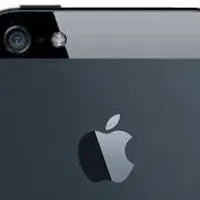
how do you disable the iphone/ipad/ipod camera on the lock screen? my sister keeps grabbing my ipod, and although she doesn't know the passcode, she is still able to use the camera on the lock screen, and when she does, she SPAMS IT SO MUCH. IT takes up all my storage and toakes forever to delete
my sister keeps grabbing my ipod, and although she doesn't know the passcode, she is still able to use the camera on the lock screen, and when she does, she SPAMS IT SO MUCH. IT takes up all my storage and toakes forever to delete
2 answersPublished
Write an answer
Answers (2)
Find your local volcano>Get Ebola>Jump off the edge with your phone>take a selfie from the lock screen while falling>try to use the camera, it won't work.
i tried that. it worked. lol id never do that
It worked when I did it.
Go to your settings. Tap the <General> tab Then go down to <Restrictions> Type in your pass code after tapping <Enable Restrictions> And tap the <Camera> icon to lock it. …
Why would it delete the iPhone? It doesn't. It locks your camera.
lol i meant camera
meh... i dont want to delete phone.